Introduction
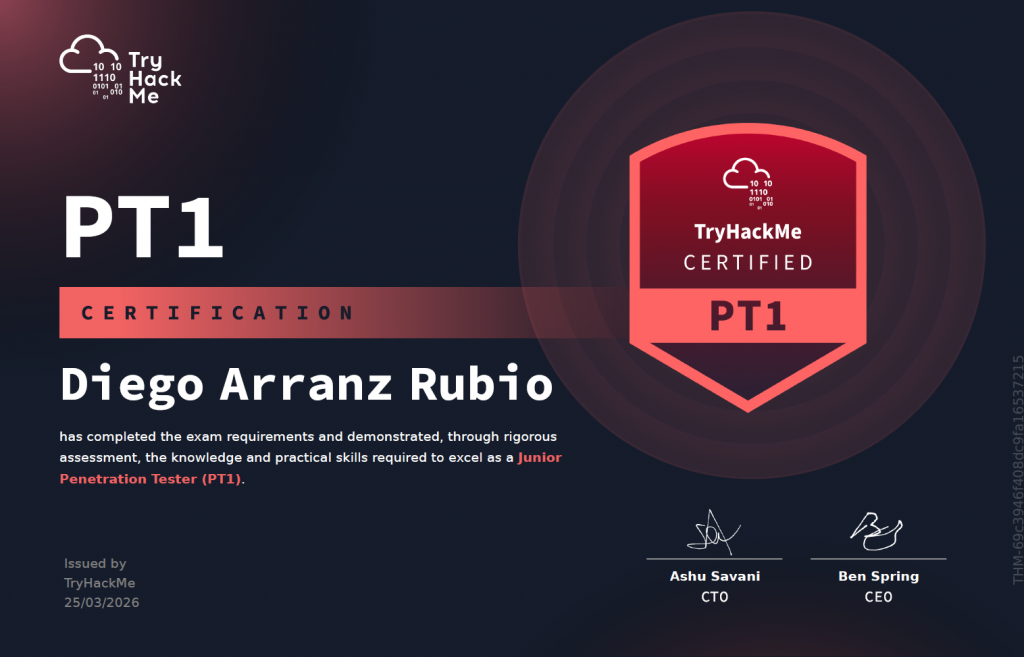
I passed PT1 (TryHackMe Junior Penetration Tester certification) in 10 hours. This post is a review of my exam experience, my preparation process, my personal opinion of the exam, and some tips I picked up along the way.
My Exam
Before Doing Anything
First of all, while reading the scope of the pentest, I took notes on the possible scenarios I might face, what vulnerabilities I could encounter, and what business logic I could exploit.
I believe this is what allowed me to succeed so quickly — I had a mental map of ideal attack scenarios and prioritised the targets I suspected were most vulnerable (and they were). It took me about an hour to build all the mind maps.
Web Application
The first thing I tackled was the web application, which is widely considered the most difficult part of the exam and above junior level. (We’ll revisit that claim later.)
First Flag
Within the first 3 minutes I found a vulnerability, but I wasn’t retrieving any flag. I was stuck for about 10 minutes wondering where it was. Tip for anyone in that situation: look at the raw response in Burp Suite.
It was a very easy, very obvious vulnerability. I felt unstoppable — though I’m far from an expert.
Second Flag
If the first flag took me 13 minutes, the second took just 5. Also a very obvious vulnerability.
At this point, 20 minutes into the exam, I already had 2 of the supposedly “difficult” flags. Things were looking good.
Third Flag
Here I got stuck for a while. The vulnerability was simple, but I was overcomplicating my approach. It took about an hour before I realised where the flag was. So, 1.5 hours in, I had 3 of the 4 web app flags.
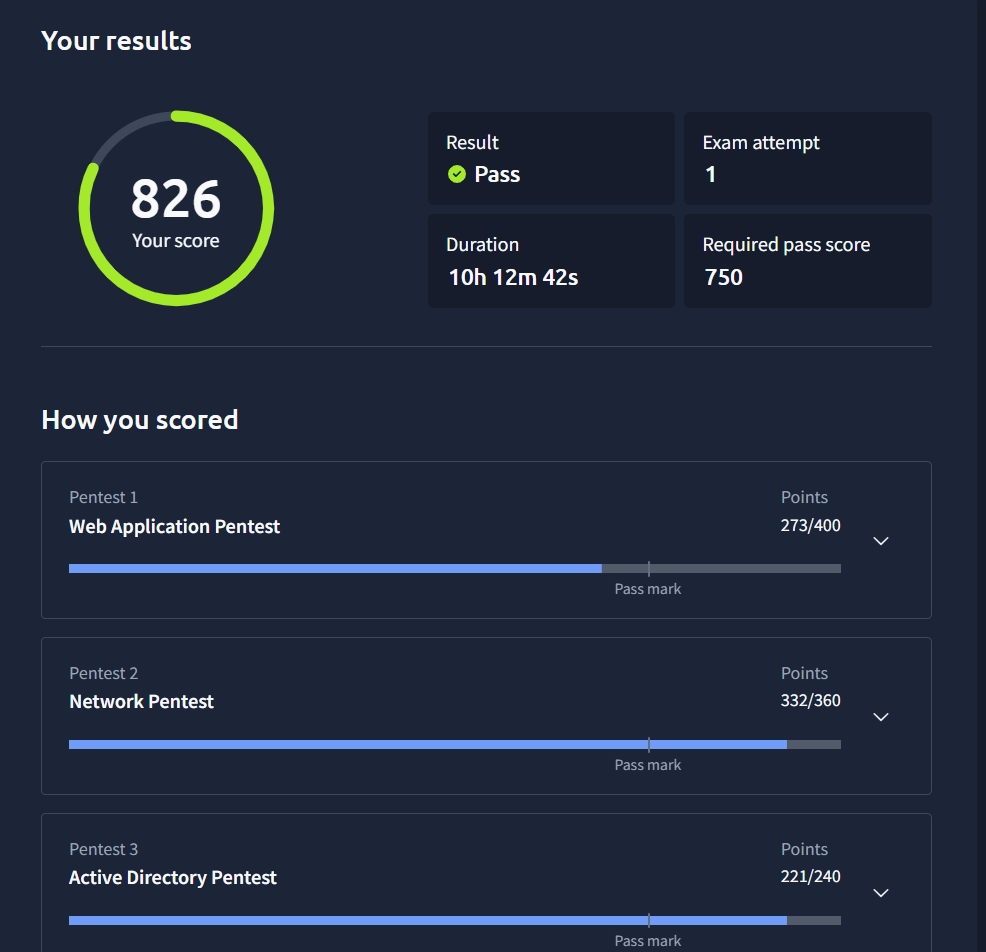
Note: I didn’t get full points here because I mis-classified the vulnerability type. I still think my classification was arguable, but since I passed comfortably, I didn’t contest it.
Fourth Flag
I spent another hour trying to find the fourth flag without success, so I decided to move on. I was never able to find this one.
Network – Linux Machine
User Flag
The initial access to the Linux machine was very methodical: find a vulnerable software version, look up the CVE and its exploit, then exploit it. Quick and straightforward — it felt like a CTF. This took about 15 minutes.
Root Flag
This is where things get entertaining. It was the fastest privilege escalation I’ve ever done — the most absurd way imaginable to gain root. I had root in about 3 minutes.
At this point: 5 flags in 2.5 hours.
Network – Windows Machine
User Flag
Same as the Linux machine — very methodical and straightforward. Initial access took about 10 minutes.
Root Flag
Again, the same story: the most ridiculous privilege escalation on Windows you can imagine. Literally 5 seconds.
In just 3 hours I had 7 flags. I broke for lunch and relaxed for an hour, then continued with Active Directory.
Active Directory
Workstation
For me, this was the most challenging part. I don’t have a lot of AD experience. Getting initial access to the workstation wasn’t difficult (30 minutes), but pivoting to the Domain Controller required privilege escalation first, which took about an hour or more.
Domain Controller
This was my nightmare. I spent over 2 hours trying to figure out how to access the DC. I eventually started to see the path forward, but I hit a wall of burnout and went for a walk for 1.5 hours — probably the best decision I made all day. When I came back, everything clicked. After 7 hours total, I had 9 flags out of 10.
Report
At this point I knew I had passed, so I started reviewing my report (I had been taking notes throughout the exam). This took about an hour. I spent another hour trying to find the 10th flag, but had no luck.
In total: 10 hours — 9 of exploitation and reporting, 1 for the initial mind-mapping session.
Preparation
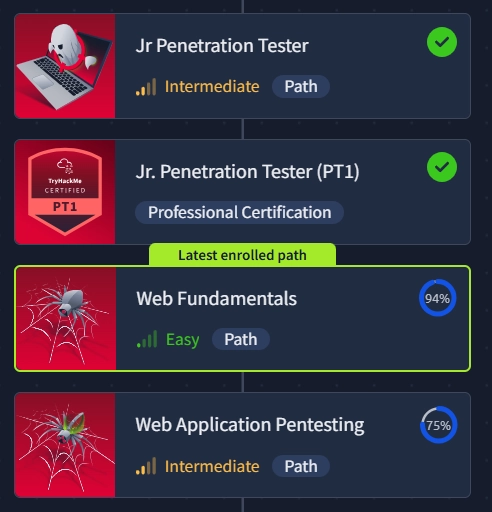
I completed the Junior Penetration Tester path, the Web Fundamentals path, and the Web Application Pentesting path. I went beyond the recommended curriculum because I was concerned about the web app section, which everyone warned was the hardest.
I also completed all the PT1 recommended learning, including the Active Directory rooms.
Apart from the structured paths, I also practised on many Easy and Medium HTB machines, as well as Easy, Medium, and Hard machines on THM.
Personal Opinion
Difficulty
Here’s where the controversy begins. Everyone I’ve seen online says the web application is the hardest part — above junior level — and that the AD section is the easiest. Well, my experience was almost the opposite.
Two of the web app flags were straightforward. The third required thinking outside the box, but nothing extraordinary. The fourth I couldn’t find — but I believe that’s because people approach it as a CTF. It’s not. It’s a pentest. You’re not trying to find a way to get a reverse shell; you’re abusing web functionalities in every way possible. I’d give the web app a 6/10, primarily because I missed that last flag.
The network section was genuinely easy — easier than Easy-rated HTB/THM boxes. I’d give it a 3/10.
The AD section was, for me, the hardest part — but I suspect that’s largely due to my lack of AD experience. For someone with more practice, it would probably be much faster. I’d give it a 6/10.
Recommended Path
I personally believe that following only the recommended path is enough to pass, but you may struggle with the web app. Adding the Web Application Pentesting path on top of it, however, should give you a very solid chance.
Practice, take your time, learn the fundamentals, and you’ll pass.
Would I Recommend It?
It’s a solid junior penetration testing certification. However, given the controversies TryHackMe has been facing recently, I might reconsider and look at other, more widely recognised junior certifications.
As a certification, it has merit — but the company behind it is worth scrutinising.
Personal Tips
The most powerful tip I can give you is to follow the KISS methodology: Keep It Simple, Stupid.
You won’t need to develop a zero-day or pull off anything complex. This is a junior certification. It’s not a freebie, but you don’t need to overcomplicate things. Go for the basics and you’ll pass.
Also, the mind-mapping technique I mentioned — reviewing the scope and mapping out possible attack scenarios before touching anything — is one of the best practices you can adopt, not just for this exam but for any machine or certification. Making your brain consciously aware of what you’re about to face is invaluable.